Outreach and follow-ups
Send blind intro pitches from your agency inbox, share the full profile after employer interest, follow up after five days, and sync replies into the pipeline.
Outreach is how a candidate reaches an employer. Every pitch opens a composer, and nothing is sent until you confirm. Messages go from your organization’s connected mailbox, so employer replies land with your team.
Intro pitches
Pitch from a candidate profile, a client role, or a client contact. The intro attaches a confidential candidate profile PDF. It leaves out the candidate’s name, email, phone, web links, and employer names from the work history. Role titles and skills stay so the employer can judge fit. Location is generalized.
Each pitch carries a reference like KYR-1234 (example) and asks the employer to quote it in the reply.
Pipeline stages
| Stage | Meaning |
|---|---|
| Pitched | The intro was sent |
| Interested | The employer replied with interest |
| Profile shared | The full profile and resume were sent with Share profile |
| Interviewing | The candidate is in interviews |
| Placed | The candidate was hired |
| Declined | The employer or candidate passed |
Share the full profile
After an employer is marked interested, Share profile sends the full candidate profile and resume. You cannot mark profile shared by hand.
Follow-ups
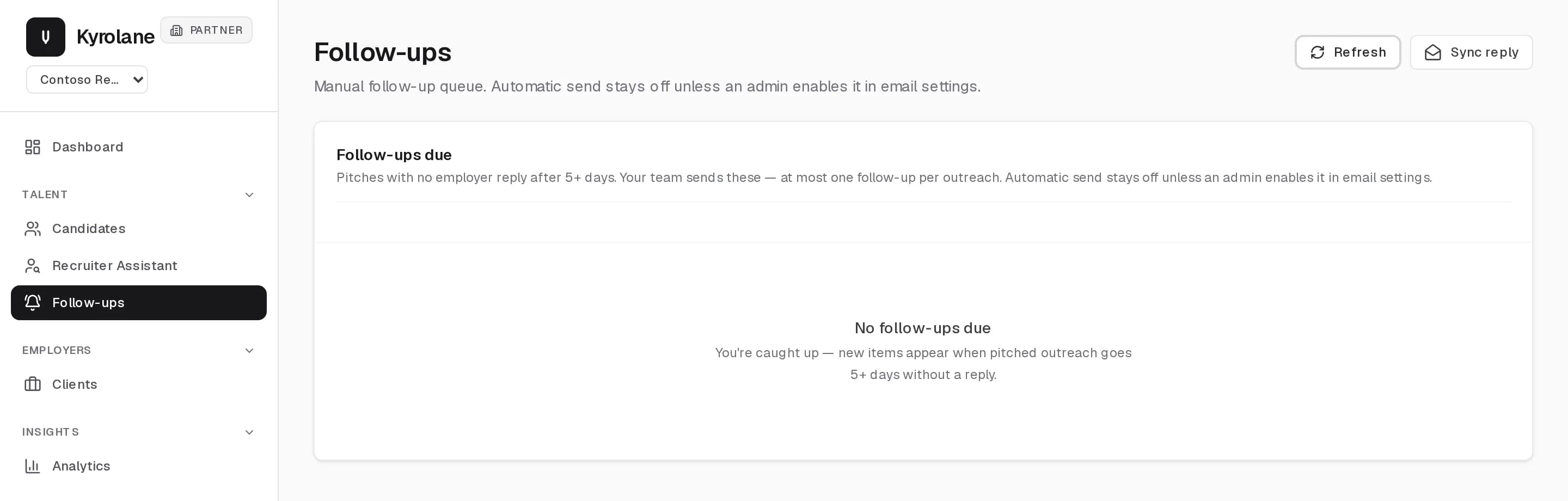
The Follow-ups queue lists pitches with no employer reply after five or more days. Your team sends these, at most one per outreach. Search by company, candidate, or role, and send selected follow-ups in one go.
Reply sync
Paste an employer reply into Reply sync, including the part that mentions the pitch reference, such as KYR-1234 (example). Kyrolane matches it to the outreach record and suggests the next stage. Reply sync can move a record forward or to declined. It cannot mark profile shared or placed.
FAQ
Can I move a pitch backward in the pipeline?
No. The pipeline only moves forward. Any open record can be marked declined, and a placed or declined record is closed.
When can I share the full resume?
Only after the employer is marked interested. Use Share profile, which emails the full profile and resume and moves the record to profile shared.
Are follow-ups automatic?
Not by default. Follow-ups is a manual queue. An admin can turn on automatic follow-ups in email settings, and then at most one follow-up is sent per outreach, using the template a recruiter saved.